How to Scan a Meal in 2 Seconds with LOWIS
Complete tutorial for scanning your meals with LOWIS AI. Discover how to get the calories and nutrients of a dish with a simple photo.
📚 This article is part of our complete guide:
How to Choose a Nutrition Tracking App in 2026 →Gone are the days when counting calories took 15 minutes per meal. With LOWIS, one photo is enough.
In this guide, discover how to use the AI scanner to analyze your meals in 2 seconds — whether it’s a homemade tagine, a lunchtime sandwich, or your favorite breakfast.
Why photo scanning changes everything
Before: The manual counting hassle
- Search for “chicken tagine” in a database
- Find 50 different results
- Estimate portions by eye
- Add up each ingredient
- Time: 10-15 minutes
After: LOWIS scanning
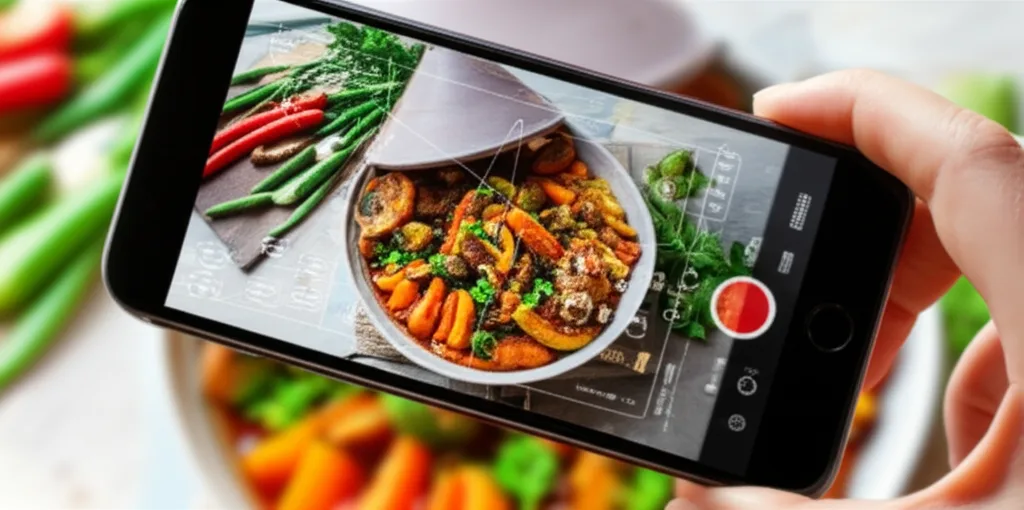
- Take a photo
- AI analyzes
- Time: 2 seconds
It’s that simple.
How it works technically
The AI behind the scan
LOWIS uses advanced artificial intelligence models to:
- Recognize the foods in the image
- Identify portions using visual references
- Calculate nutrients based on our database
- Contextualize with your profile (goals, preferences)
The local database
Unlike American apps, LOWIS includes:
- 500+ Moroccan recipes: Tagine, couscous, pastilla, rfissa, tanjia…
- Traditional French dishes: Quiche, cassoulet, ratatouille…
- Local pastries: Msemen, baghrir, chebakia, gazelle horns…
- Street food: Maakouda, skewers, sandwiches…
Step-by-step guide
Step 1: Prepare your photo
For better recognition:
✅ Good lighting — Natural light is ideal ✅ Top-down view — Entire plate visible ✅ No blur — Sharp and clear image ✅ Visible food — No lid or packaging
❌ Avoid:
- Photos in the dark
- Extreme angles
- Multiple mixed plates
- Completely hidden dishes
Step 2: Take the photo
- Open the LOWIS app
- Tap the ”+” button
- Select “Scan a meal”
- Frame your plate
- Click!
Analysis starts instantly.
Step 3: Verify and adjust
The AI displays:
- Detected foods (e.g., “Chicken tagine with olives”)
- Estimated portions (e.g., “1 standard serving”)
- Calories and macros (proteins, carbs, fats)
If something isn’t correct:
- Tap the item to modify
- Adjust the portion (+ or -)
- Or replace with another food
- Validate
The AI learns from your corrections and will be more accurate next time.
Step 4: Save
One tap on “Confirm” and you’re done!
The meal is added to your journal with all nutritional details.
Tips for better recognition
For composite dishes
If your plate contains multiple elements:
- Spread the foods slightly so they’re visible
- Take the photo BEFORE mixing
- You can take multiple photos if needed
For “hidden” dishes
Tagine with its lid on? Closed sandwich?
- Take a photo of the open/unfolded dish
- Or describe it orally (LOWIS also understands voice)
For homemade recipes
Does your grandmother make the best couscous in the world?
- Scan it once
- Save it as a “favorite”
- Reuse it with one tap next time
Special cases
Beverages
The scanner also recognizes:
- Fresh juices
- Mint tea (with or without sugar)
- Coffee
- Smoothies
Packaged snacks
Two options:
- Scan the barcode (more accurate)
- Scan the snack itself
Restaurants
Recognition also works for:
- Fast food (with standard portions)
- Classic restaurants
- Takeaway food
Beyond calories
The scan doesn’t stop at calories. LOWIS also analyzes:
- Macronutrients: Proteins, carbs, fats
- Fiber: Important for satiety
- Sugars: Added vs natural
- Sodium: For those watching salt
This information feeds the personalized recommendations from your AI coach.
Comparison: LOWIS scan vs other methods
| Method | Time | Accuracy | Practicality |
|---|---|---|---|
| LOWIS scan | 2 sec | ±15% | ⭐⭐⭐⭐⭐ |
| Manual search | 5-15 min | ±20% | ⭐⭐ |
| Barcode only | 10 sec | ±5% | ⭐⭐⭐ (packaged only) |
| Eye estimate | 0 sec | ±40% | ⭐⭐⭐⭐⭐ |
“Perfect” accuracy doesn’t exist — even dietitians make mistakes. What matters is consistency in tracking.
Frequently asked questions about the scanner
”The AI makes mistakes sometimes, right?”
Yes, and that’s normal. No technology is 100% perfect.
But:
- You can correct in 2 taps
- The AI learns from your corrections
- The average over a week is very accurate
”Does it really work for tagine?”
Yes! It’s one of our strengths. Our database was created with Moroccan and Mediterranean dishes as a priority.
”What if I often eat the same thing?”
Even better! Your recent dishes are saved. One tap and it’s recorded, without even scanning.
Conclusion: Scan, stop counting
Calorie counting shouldn’t be a part-time job.
With the LOWIS scanner:
- 2 seconds instead of 15 minutes
- Local dishes recognized automatically
- Learning from your habits
- More time to live your life
The technology exists. Take advantage of it.
Ready to try?
Test the LOWIS scanner free for 7 days. Take a photo of your next meal and see the difference.
No credit card. No commitment. Just a better way to track your nutrition.
Continue Reading
In the category Tips — Our practical tips
LOWIS technology:
- How the AI coach works — The intelligence behind it
- The 40+ indicators that matter — What we analyze
- Audio Program to reprogram your brain — Mental is 80% of success
Compare scanning apps:
- LOWIS vs Cal AI — AI scanning comparison
- LOWIS vs MyFitnessPal — The counting giant
- Why free apps fail — The real cost
- How to choose a nutrition app — The 7 essential criteria
Essential guides:
- Complete smart weight loss guide — The approach that works
- Why diets fail — The science behind failure
- How to avoid weight rebound — Keep your results